
How to Create Multiple Meal Sizes
Learn how to define multiple sizes for your meals.
You can create multiple size variations for a single custom meal (such as a standard portion, a bulk size, or a cut size). All sizes stay grouped under one main meal entry so your library stays organized.
This guide explains how to add meal sizes, edit them, and set your default primary size.
How Meal Sizes Work
When you add a size to a meal, the app copies all foods from that meal into a new size variation. You can then edit the food items or quantities in that new size independently.
One size is always set as the Primary size. When you search for and log the meal, the primary size is selected by default.
Adding a Meal Size
To create a new size for an existing meal:
- Tap the + icon in the bottom tab bar, then select Library from the shortucts.
- Tap the meal you want to edit.
- Tap the button that says Size (highlighted in the photo below)
- Enter a name for the new size (for example, "Bulk Portion" or "Small").
- Adjust, add, or remove foods for this specific size.
- Tap Create.
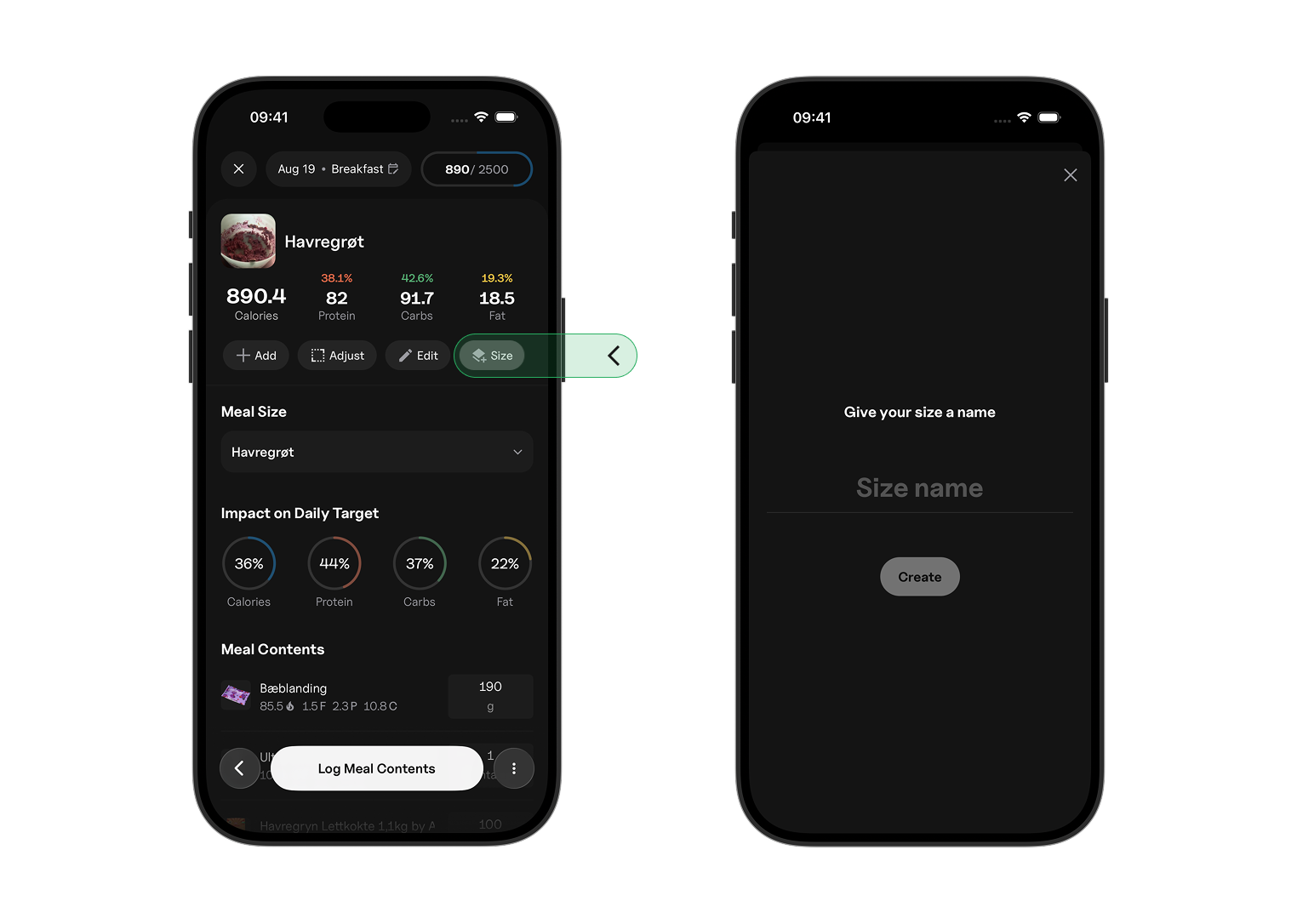
Example: Meal With Multiple Sizes
-
Main meal:
- Chicken Salad: Standard daily portion (400g chicken, 100g rice)
-
Meal Sizes:
- Bulk: Larger variation, increased ingredients (500g chicken, 200g rice)
- Cut: Smaller variation, reduced ingredients (300g chicken, 50g rice)
Changing the Primary Meal Size
The primary size is the default version logged when you tap the meal.
To change which size is primary:
- Go to Library > Meals.
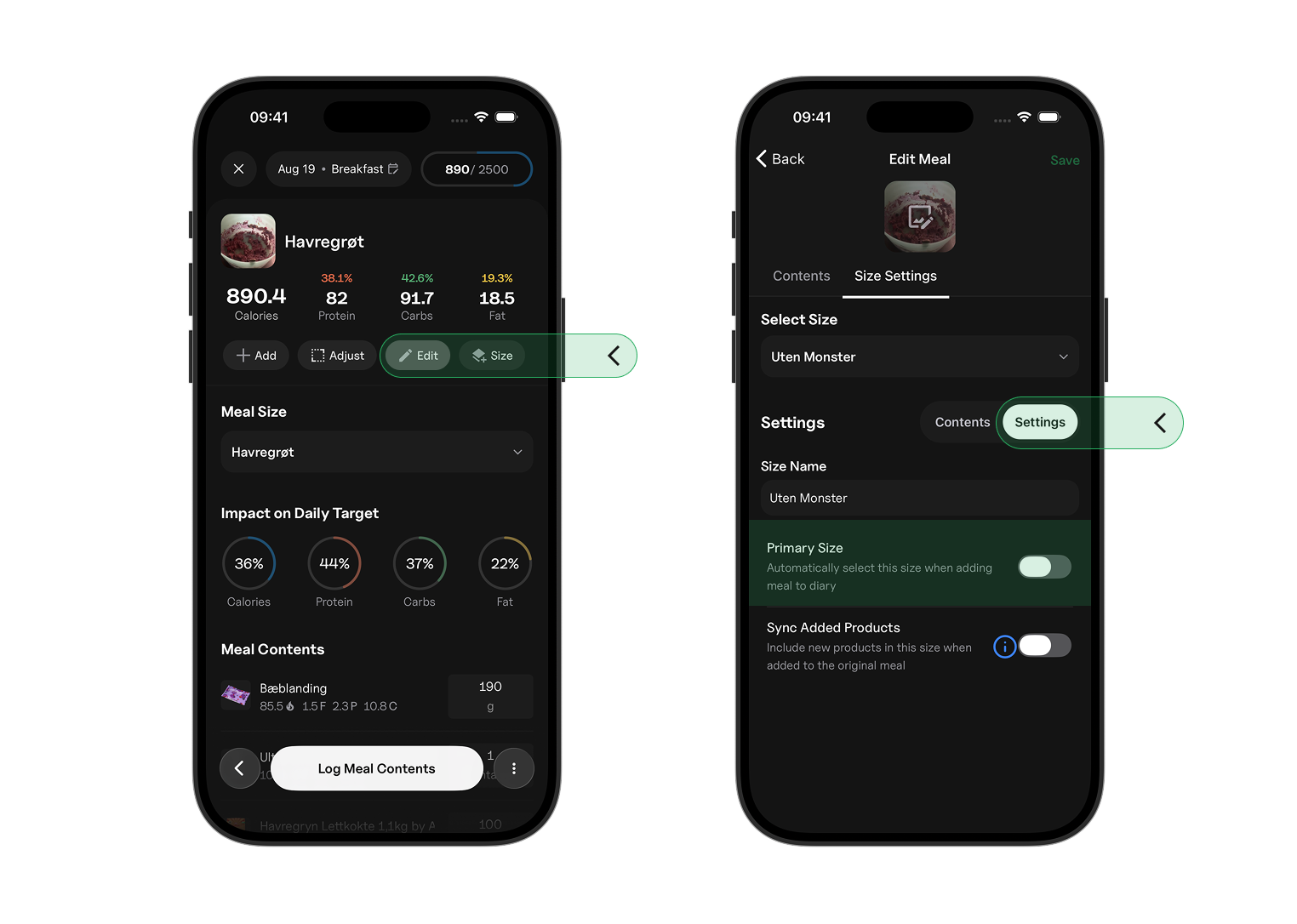
- Tap the meal > Edit > Size Settings > Settings
- Turn on the Primary Size switch
Logging a Meal Size
To log a specific meal size:
- Open the food logger and swipe over to Library
- Tap the meal to open it.
- Tap the size below Meal Size, then select the size you want to log.
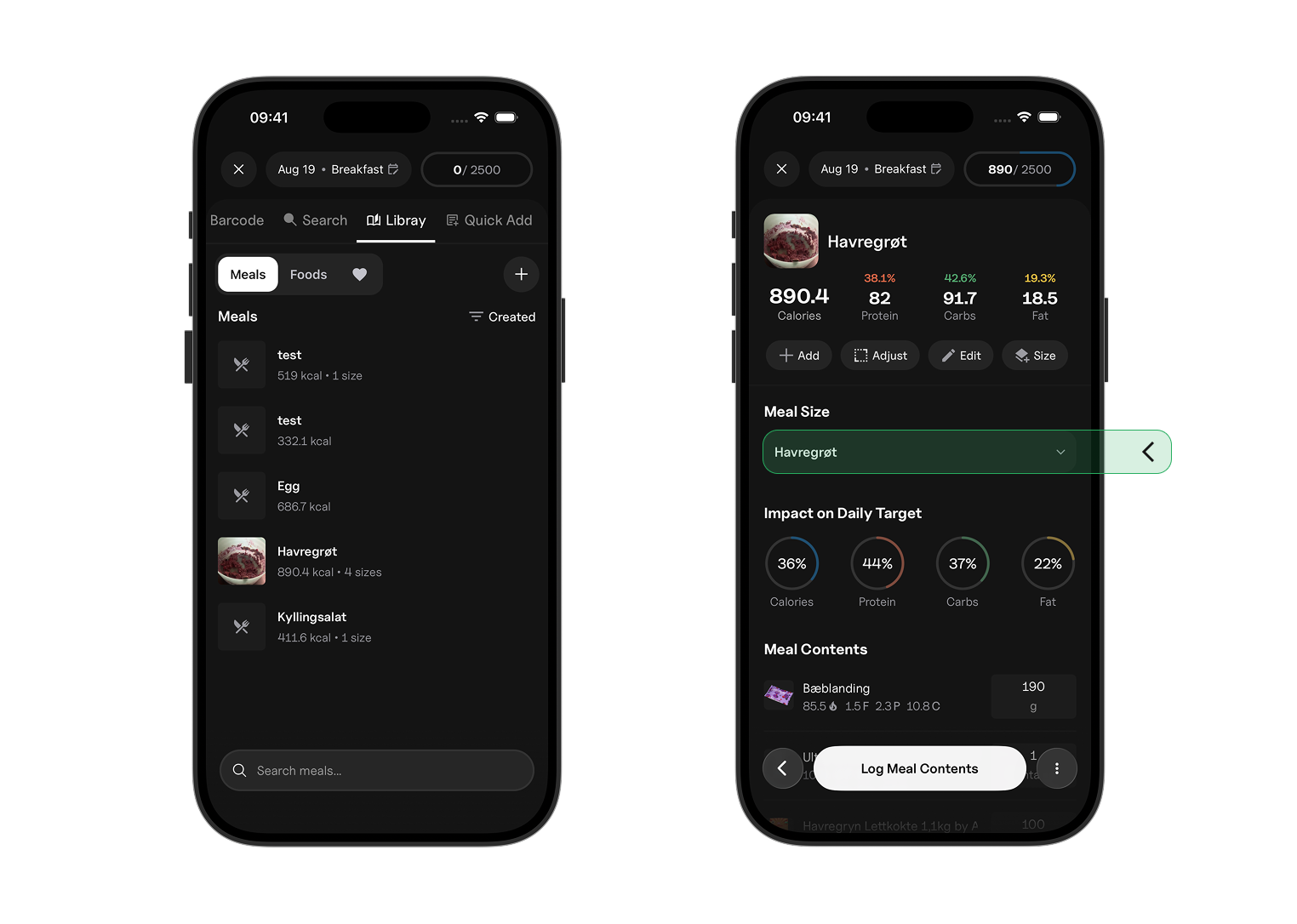
Note: If you do not choose a size, the app automatically logs the primary size.