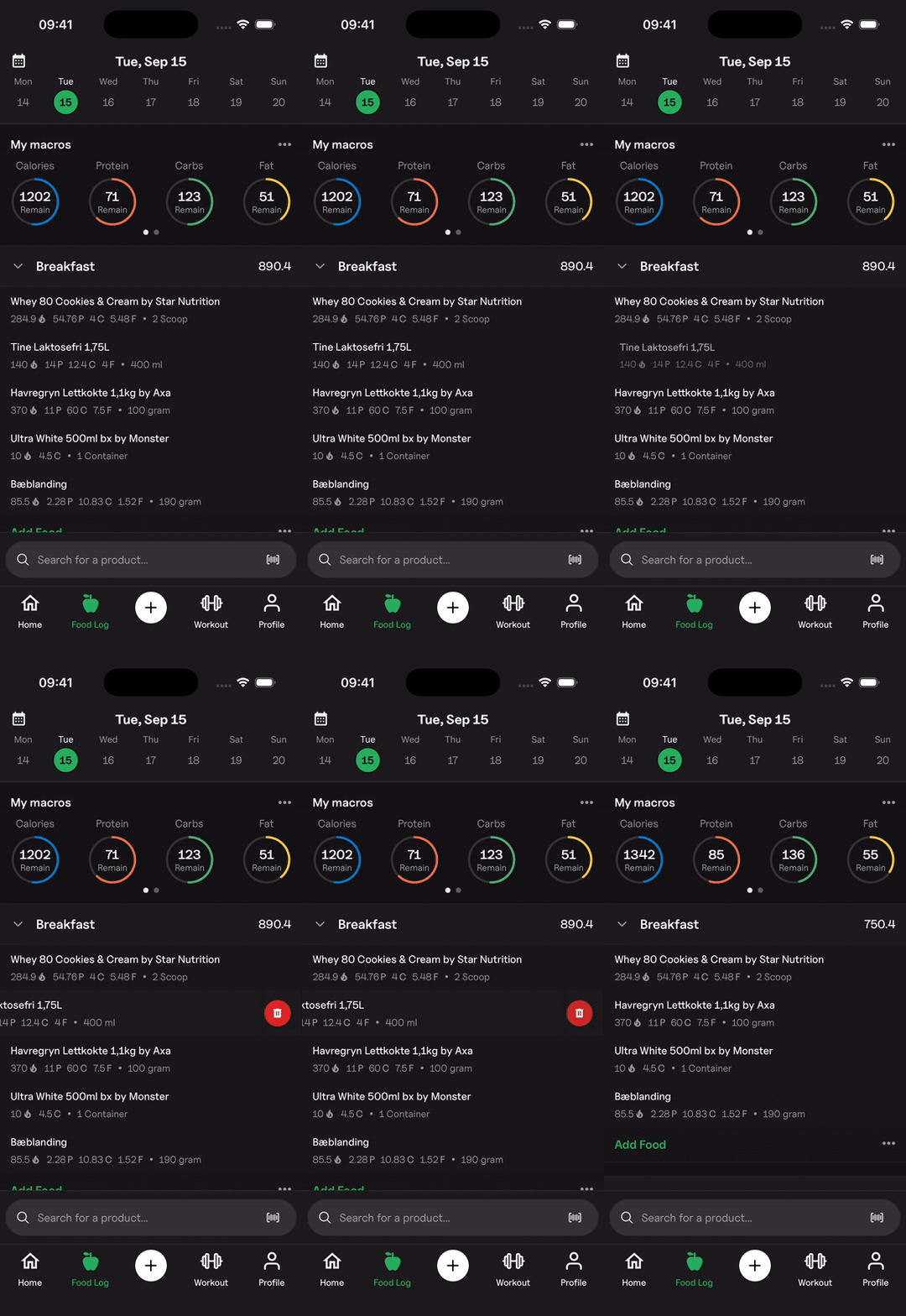
Delete a Logged Food Product
Learn how to delete a logged food product from the food logger.
You can remove a food item you've logged in your diary with these steps:
- Navigate to "Food Log" from the bottom tab bar.
- Find the food entry you'd like to remove and swipe it to the left.
- Tap the trash can button that appears to delete the entry from your log.