
How to Create a Workout Routine
Learn how to build and configure a custom workout routine from scratch.
Creating a workout routine makes it easy to plan your exercises, sets, weight, and reps before you start training. Here's how to create and save your own routine.
How to Create a Workout Routine
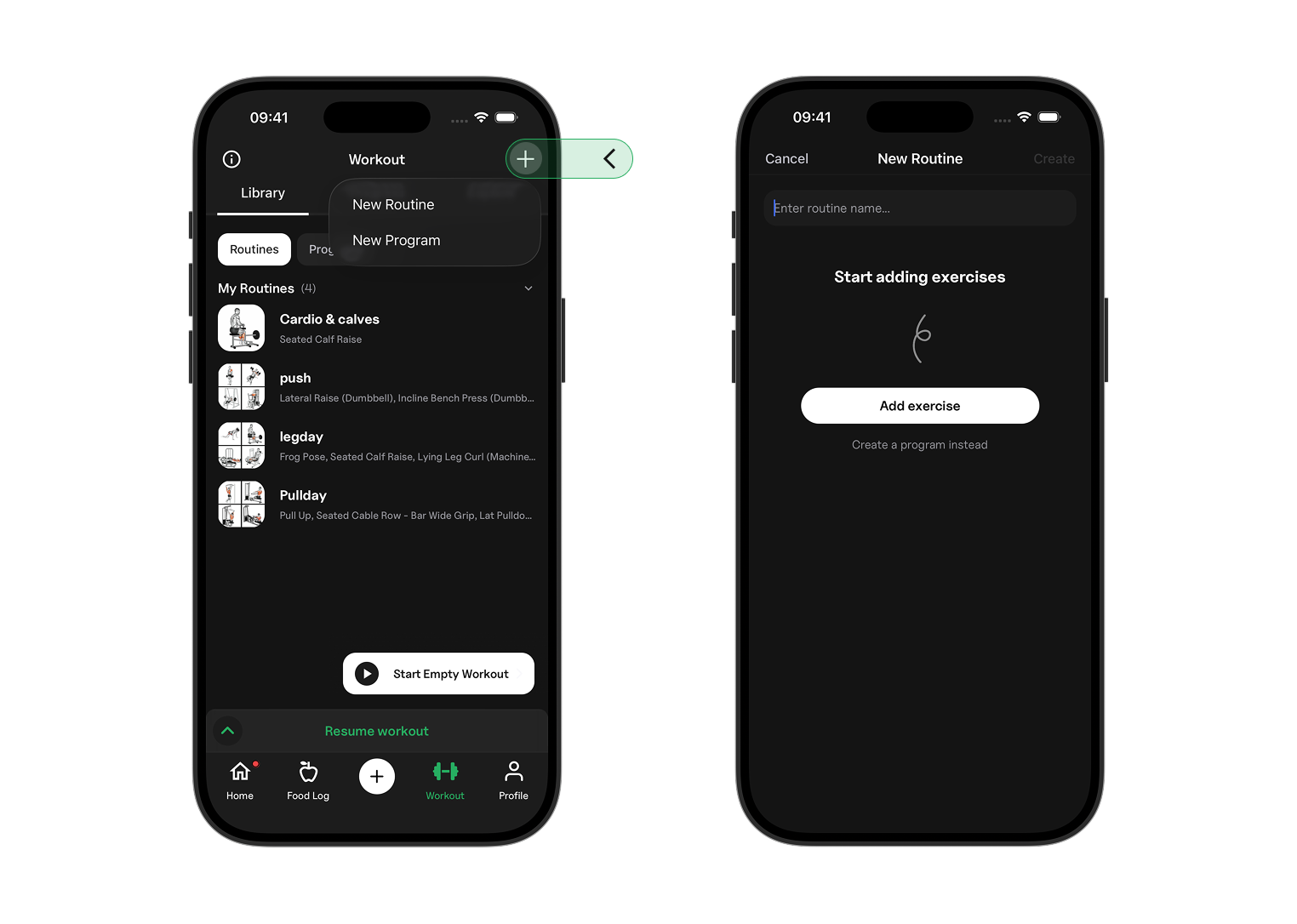
- Go to the Workout tab.
- Tap the + icon in the top-right corner.
- Tap New Routine.
- Enter a name for your routine.
Adding Exercises to Your Routine
Tap Add exercises and select the exercises you want to include in your workout.
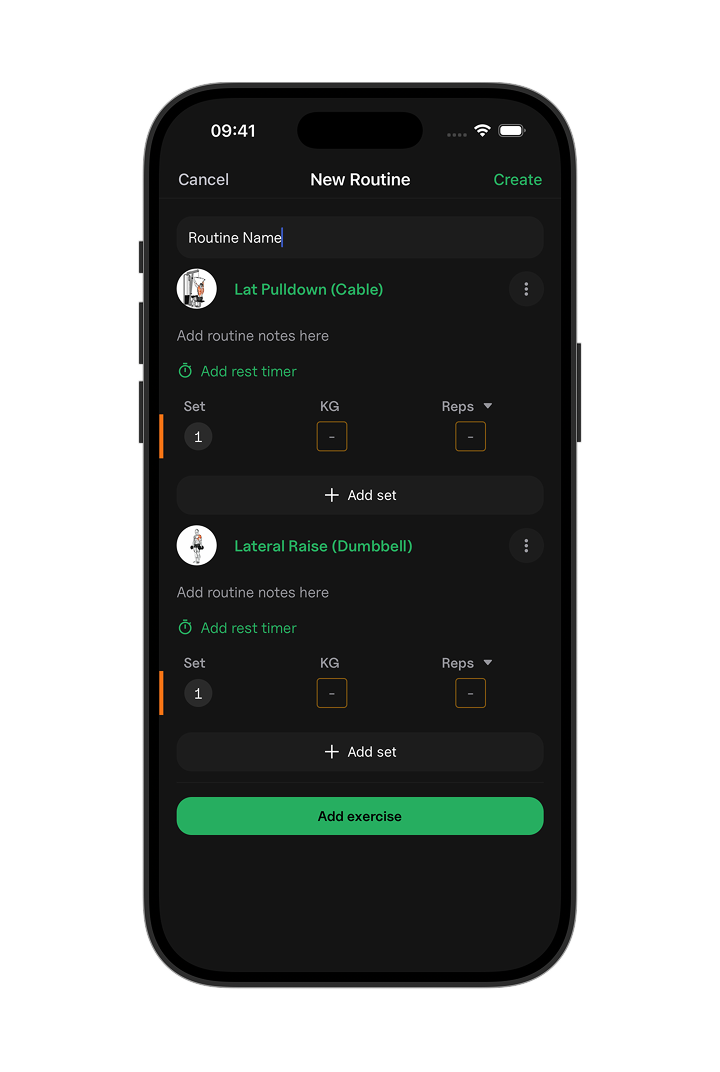
After adding an exercise, you can set up each set with:
- Set Type: Standard, warm-up, failure, or drop set.
- Weight: The target weight for the set.
- Rep Type: A fixed number of reps or a rep range.
Setting Weight and Reps
You can customize each set to match your workout plan.
Tap the set number to change the set type.
Tap Reps to choose between a fixed rep target, such as 10 reps, or a rep range, such as 8–12 reps.
You can also set the target weight for each set.
Saving Your Workout Routine
When you've finished adding exercises and setting up your sets, tap Create in the top-right corner.
Your workout routine will be saved to your library and ready to use in your workouts.