
Track RPE in Your Workouts
Gympal supports RPE (Rate of Perceived Exertion) so you can record how hard each set felt. RPE gives more context to your training.
Gympal lets you log RPE for each set, helping you track effort, gauge fatigue, and train with better precision.
Gympal supports RPE (Rate of Perceived Exertion) so you can record how hard each set felt. RPE gives more context to your training.
RPE is a 1–10 scale that reflects how challenging a set was:
It’s a simple way to track effort, manage fatigue, and understand how your training is progressing over time.
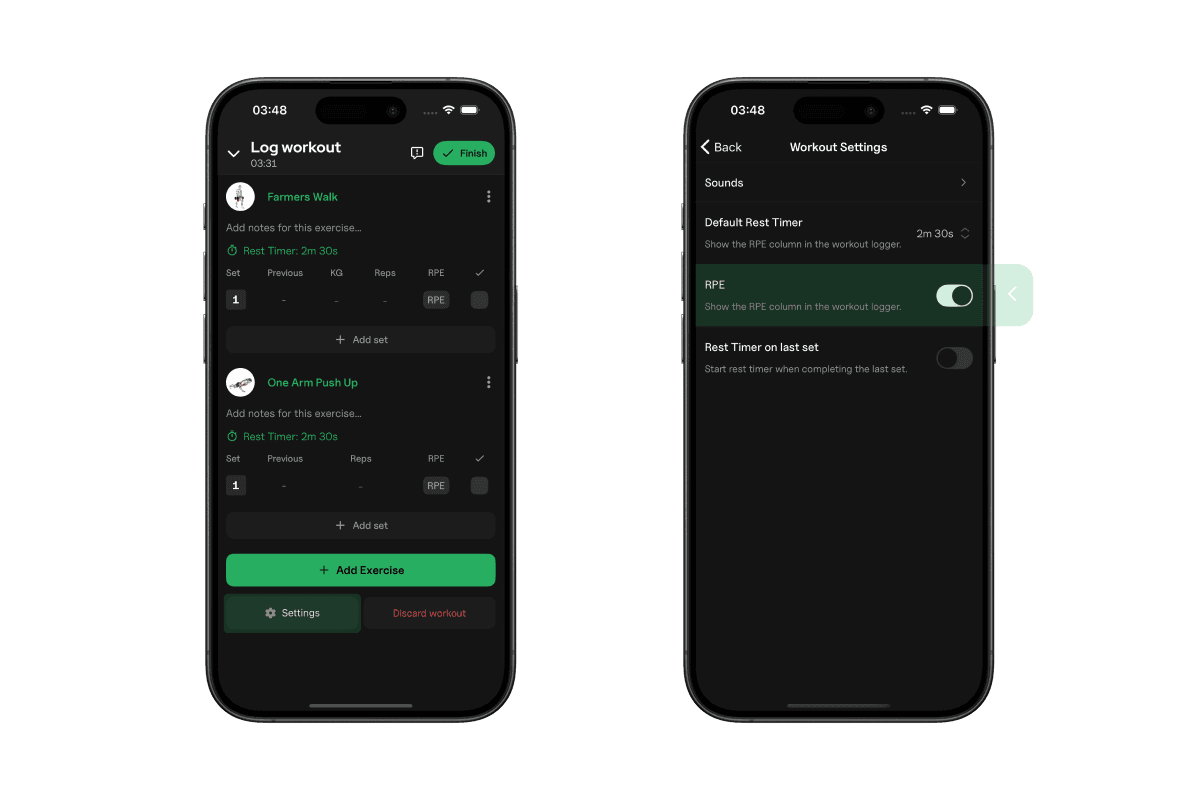
When logging a set, tap the RPE field and select the value that matches your effort. You can add RPE to any set, whether it’s strength work, bodyweight movements, or endurance-based exercises.
RPE tracking is enabled by default in Gympal. If you'd prefer not to use it, you can disable it at any time.
Just scroll to the bottom of the workout logger screen, tap "Settings," and toggle off the "RPE" option.
Explore all the tools Gympal offers.