
Custom Food Sizes in Gympal
Gympal lets you create custom serving sizes for any food product. This is useful when the default size doesn’t match how you track your products, whether you use scoops, cups, slices, or your own preferred measurements.
You can create custom sizes for every food product in Gympal.
Gympal lets you create custom serving sizes for any food product. This is useful when the default size doesn’t match how you track your products, whether you use scoops, cups, slices, or your own preferred measurements.
Custom Food Sizes shouldn’t be confused with Meal Sizes.
Meal Sizes let you build different portion versions of a full meal, while Custom Food Sizes apply only to individual food products.
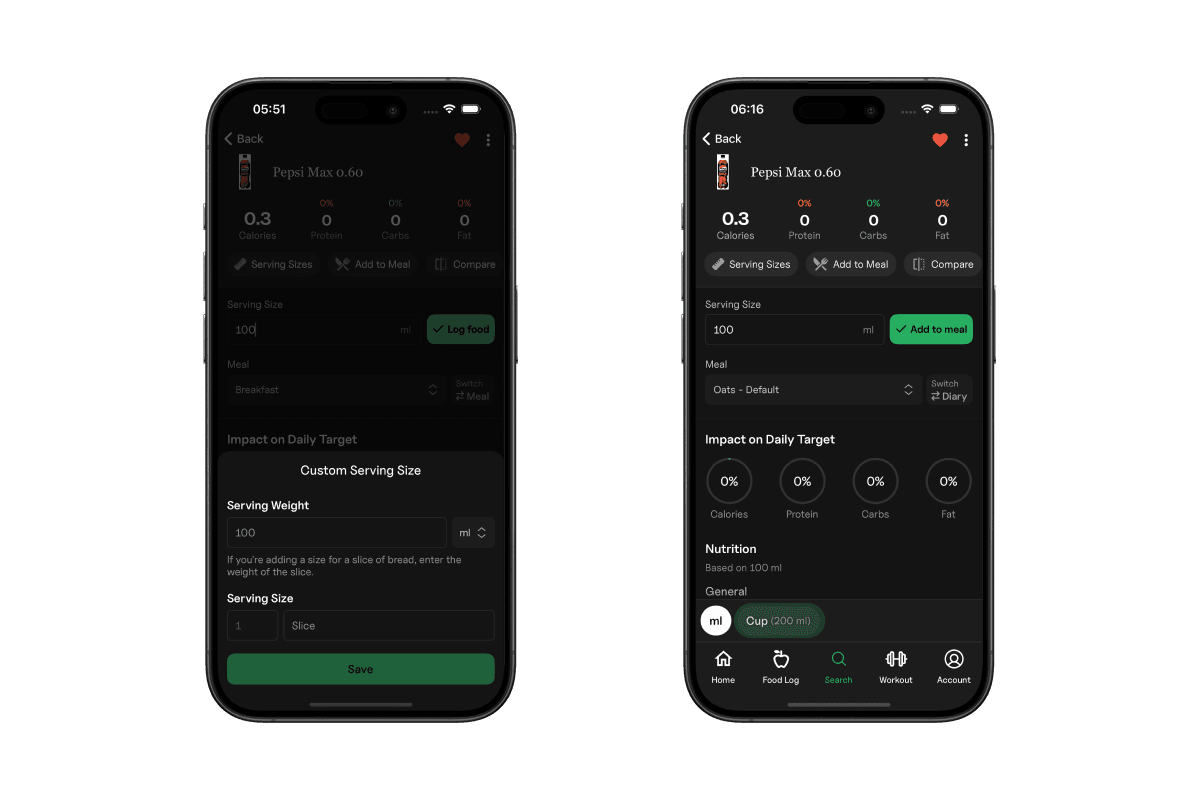
Open any food product and tap the "Serving Sizes".
You can define:
Once saved, your custom size appears alongside the default options whenever you log that food.
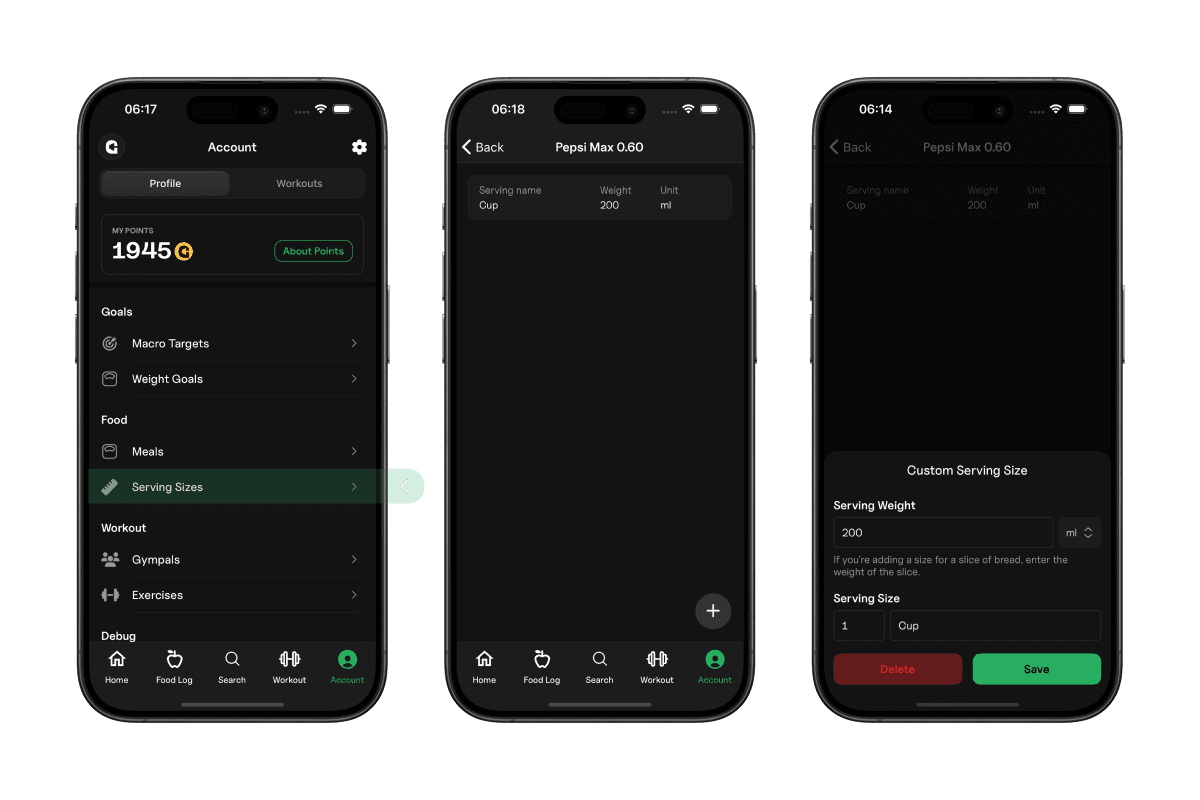
Select an existing size to change its name or weight.
If you no longer need it, you can remove the size from the same screen.
There’s no limit to how many serving sizes you can create. Build as many variations as you need to make logging fast and accurate.
Explore all the tools Gympal offers.