
Add Food to a Meal
You can add any food product to a meal without opening the meal first. This makes it quick to build meals as you go or update the ones you already use.
Gympal lets you add food products directly to your meals without opening the meal first. This makes it easier to build meals as you go, update existing meals, and log food faster while tracking your nutrition.
You can add any food product to a meal without opening the meal first. This makes it quick to build meals as you go or update the ones you already use.
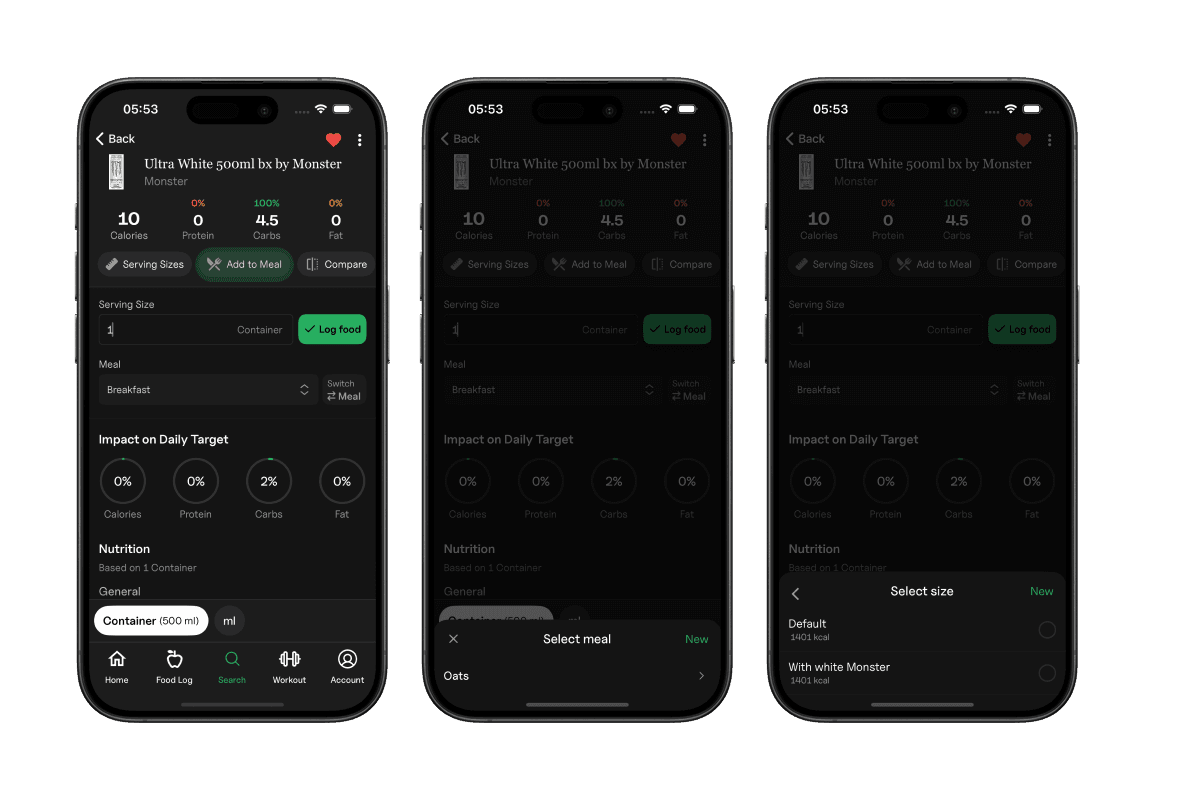
Once selected, the food product is added instantly. If the meal has multiple portion sizes, you’ll see them right away and can switch to the size you prefer.
Explore all the tools Gympal offers.