Nutrition Overview

The Nutrition Overview gives you a clear view of your nutrition progress over time.

Nutrition Overview

1. Where to find the Nutrition Overview

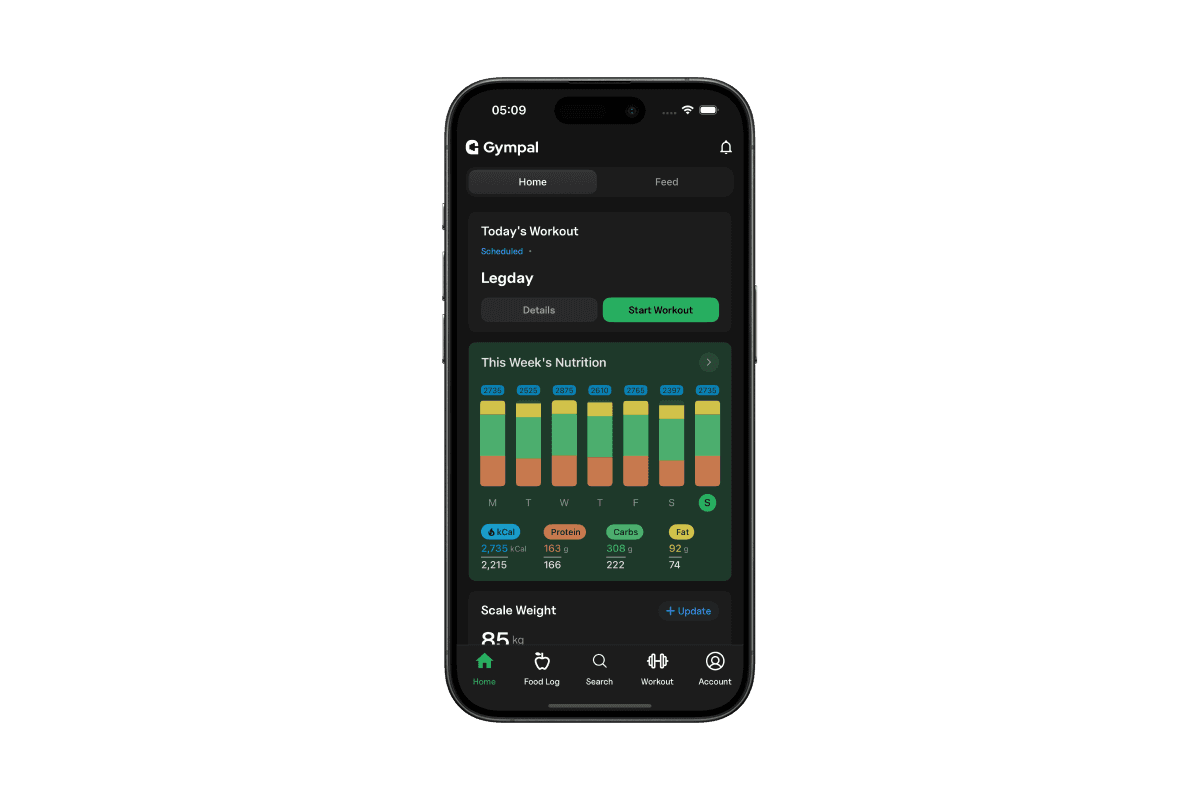
You can access the Nutrition Overview from the Home screen. Tap the This Week’s Nutrition widget to open it.
Nutrition Overview

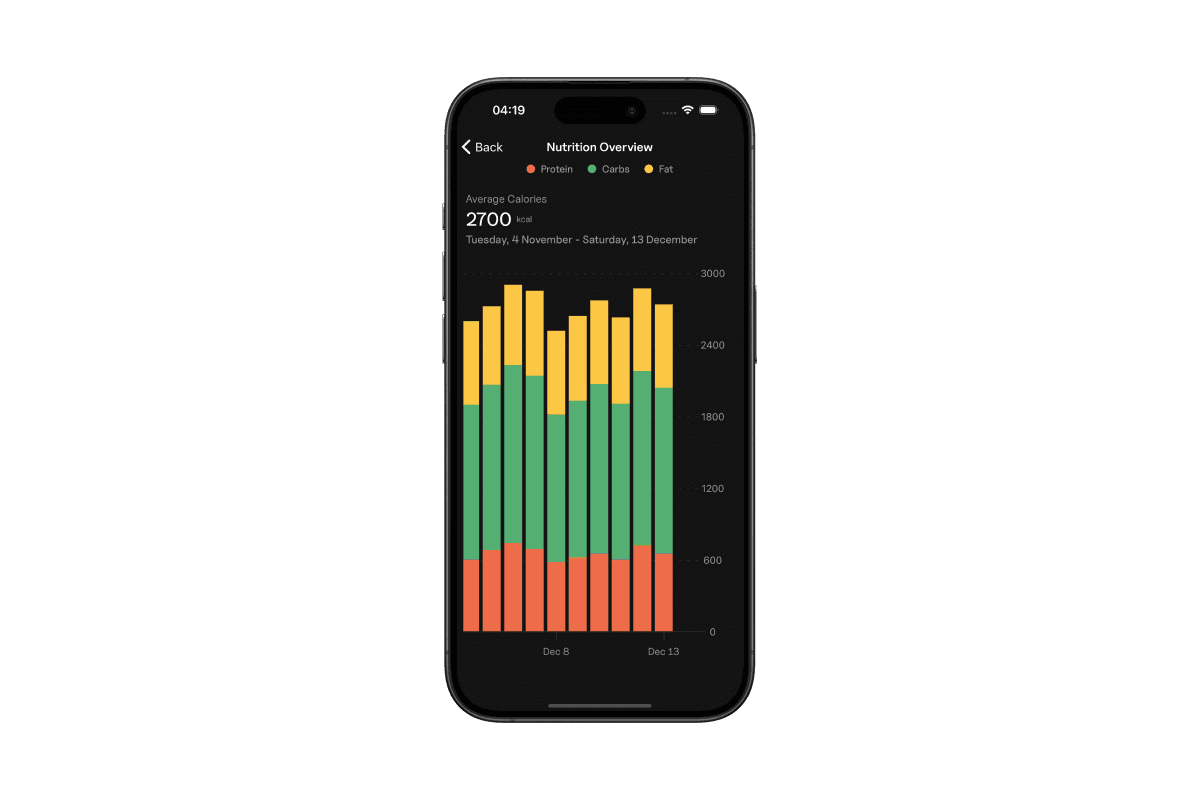
When you open the widget, you’ll see a bar chart showing your macro intake over time. Tap any bar to view the details for that specific day.
Nutrition Overview

2. Viewing a single day

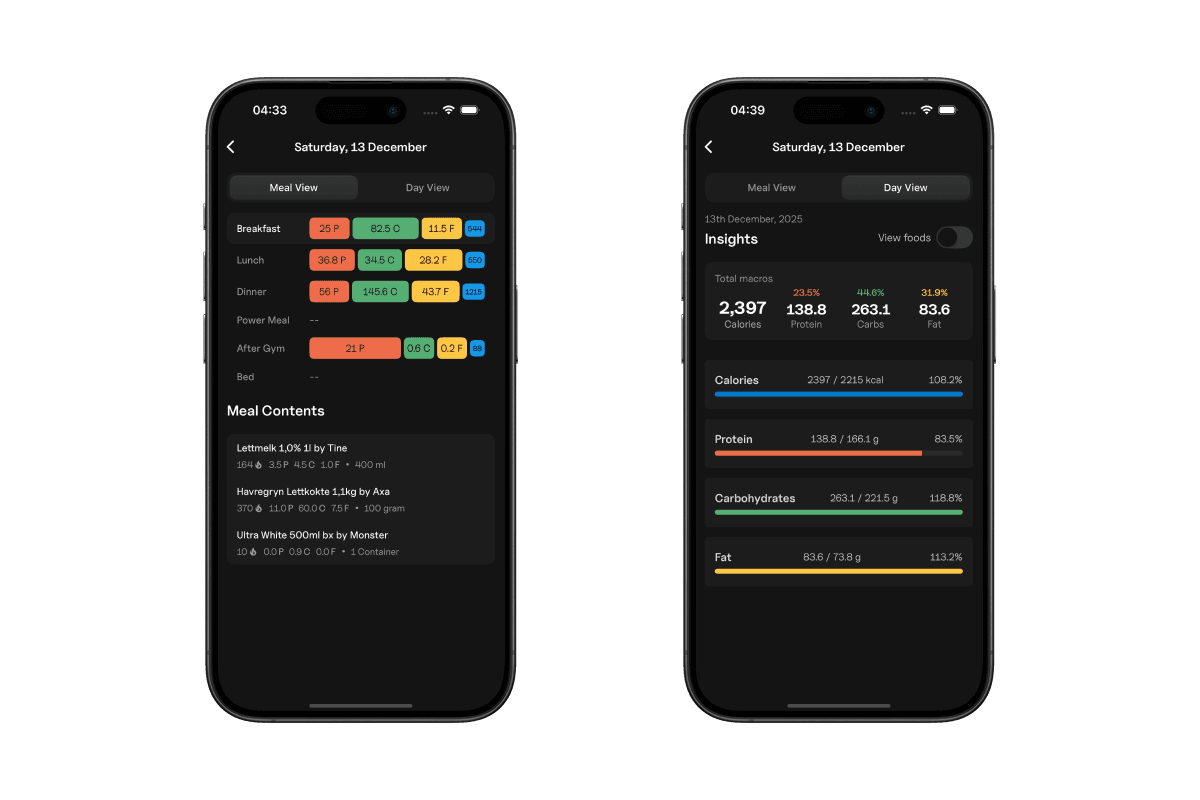
Tapping a day opens its full breakdown. You can see all meals logged for that day and swipe to Day View to check your macro distribution and how close you are to your daily targets.

Tap View foods to see every food logged that day.

Nutrition Overview

3. Editing a previous entry

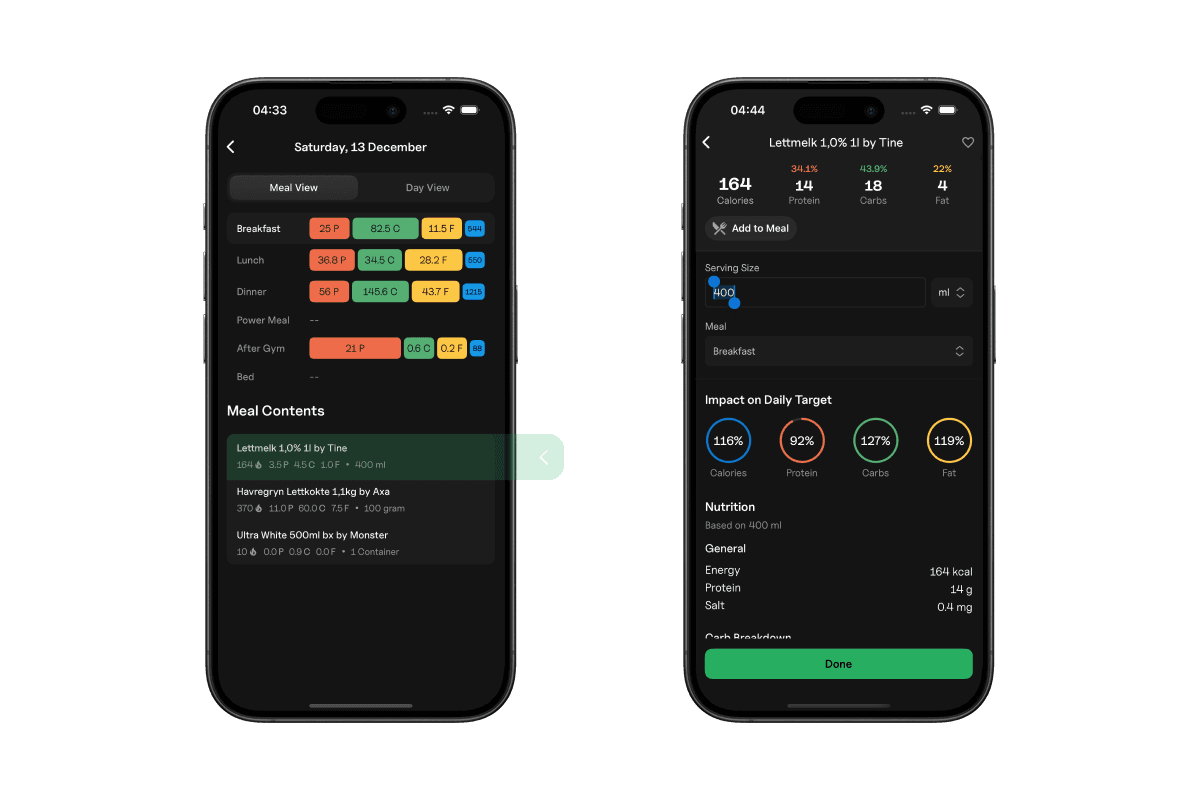
To edit a logged entry, tap it to open the details. From there, you can adjust serving sizes or make corrections as needed.

Nutrition Overview