
Quick Logging
Add a new weight entry wherever you are in the app. Just hit the plus button and select "Weight".
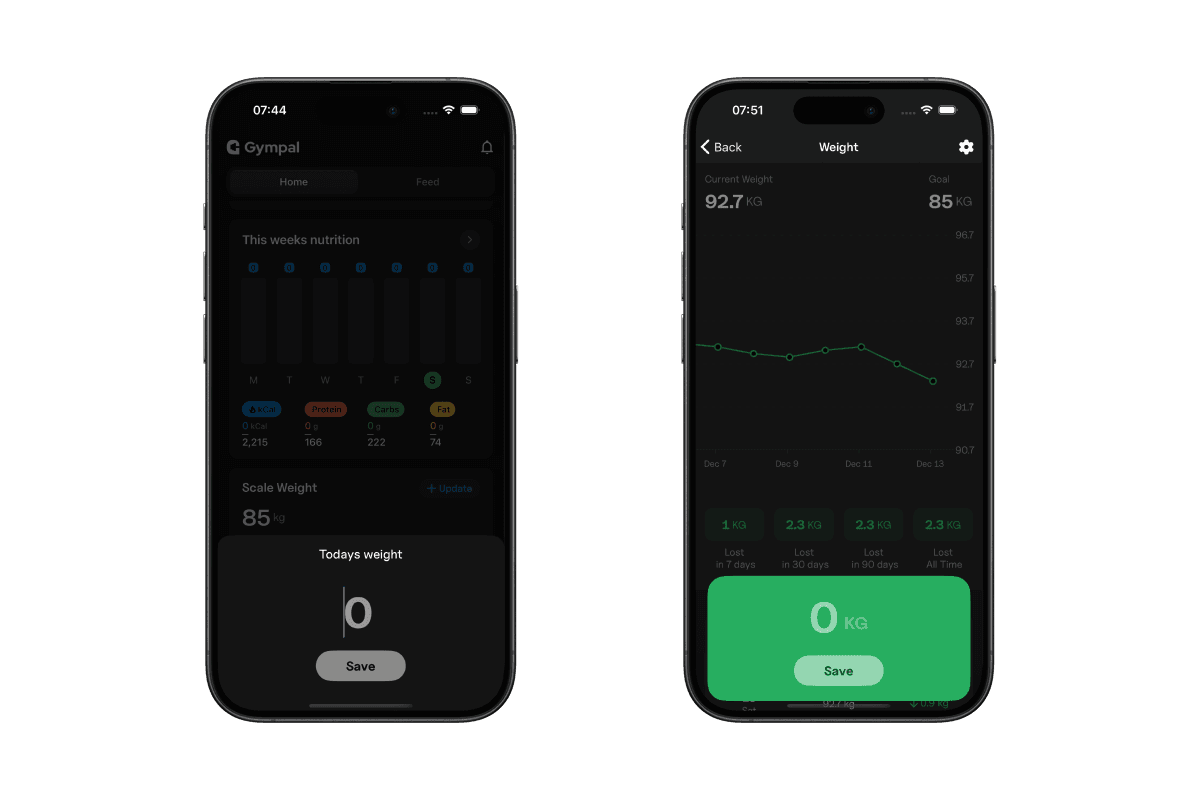
Log your bodyweight in Gympal to follow your progress over time and spot long-term trends.
Tracking your weight in Gympal helps you see how your body changes over time. Use it to spot trends, adjust your goals, and keep your progress visible.
Add a new weight entry wherever you are in the app. Just hit the plus button and select "Weight".
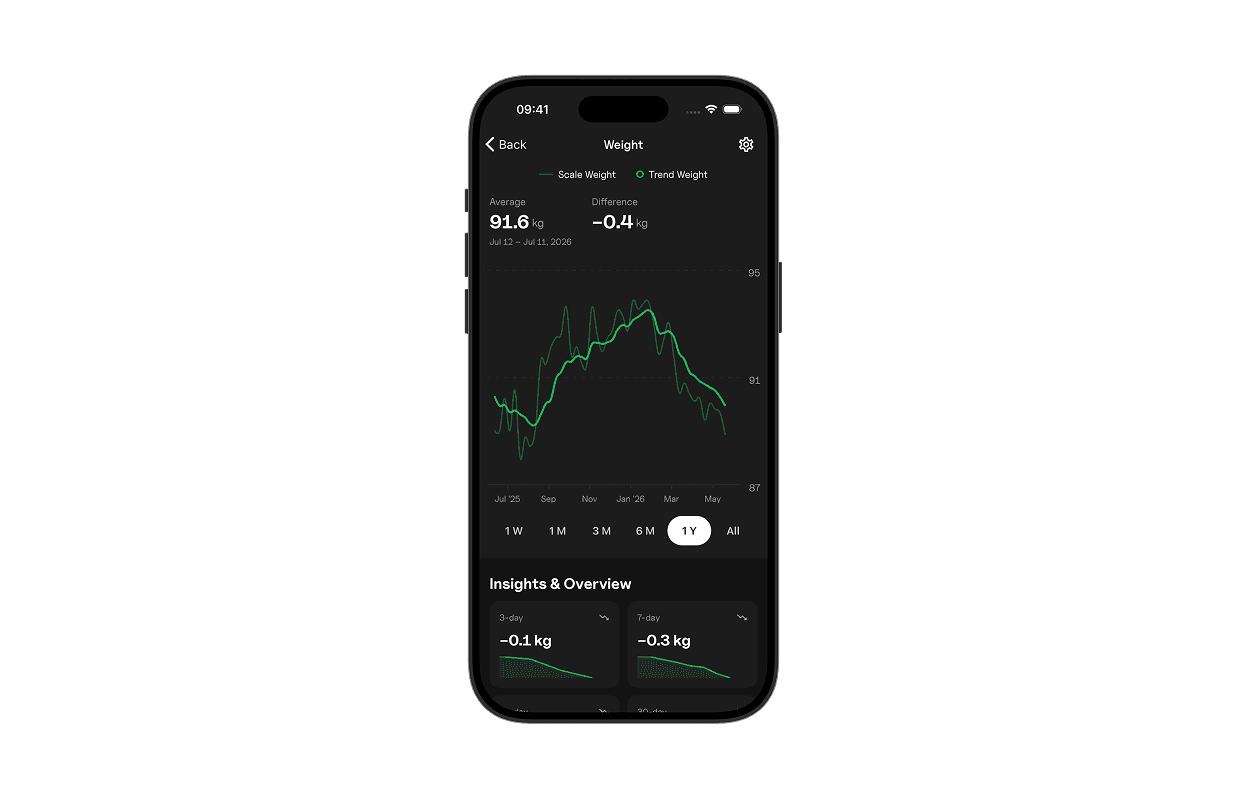
Every weigh-in builds your chart. See your ups, downs, and averages at a glance. It’s easy to track the big picture or zoom in on a specific period.
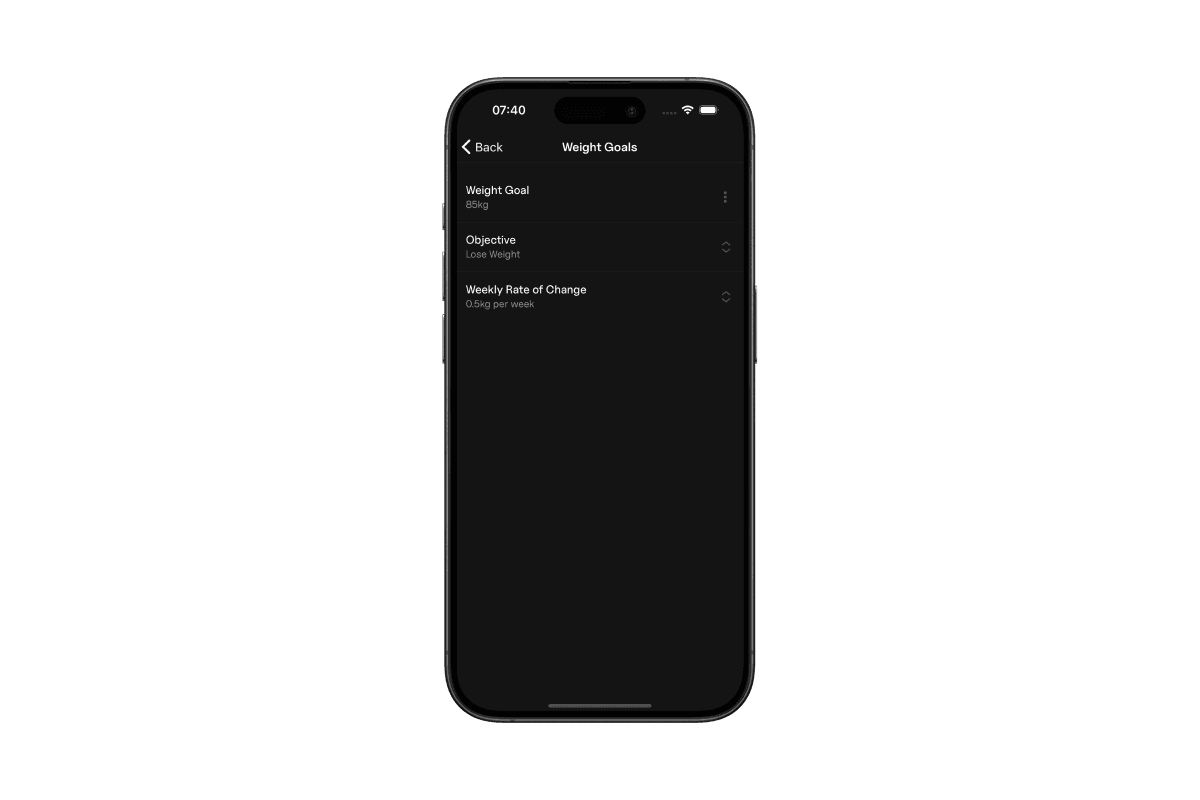
You can set three different goals. To do this, tap the Cog-icon in the top right. From this screen, you can set the following:
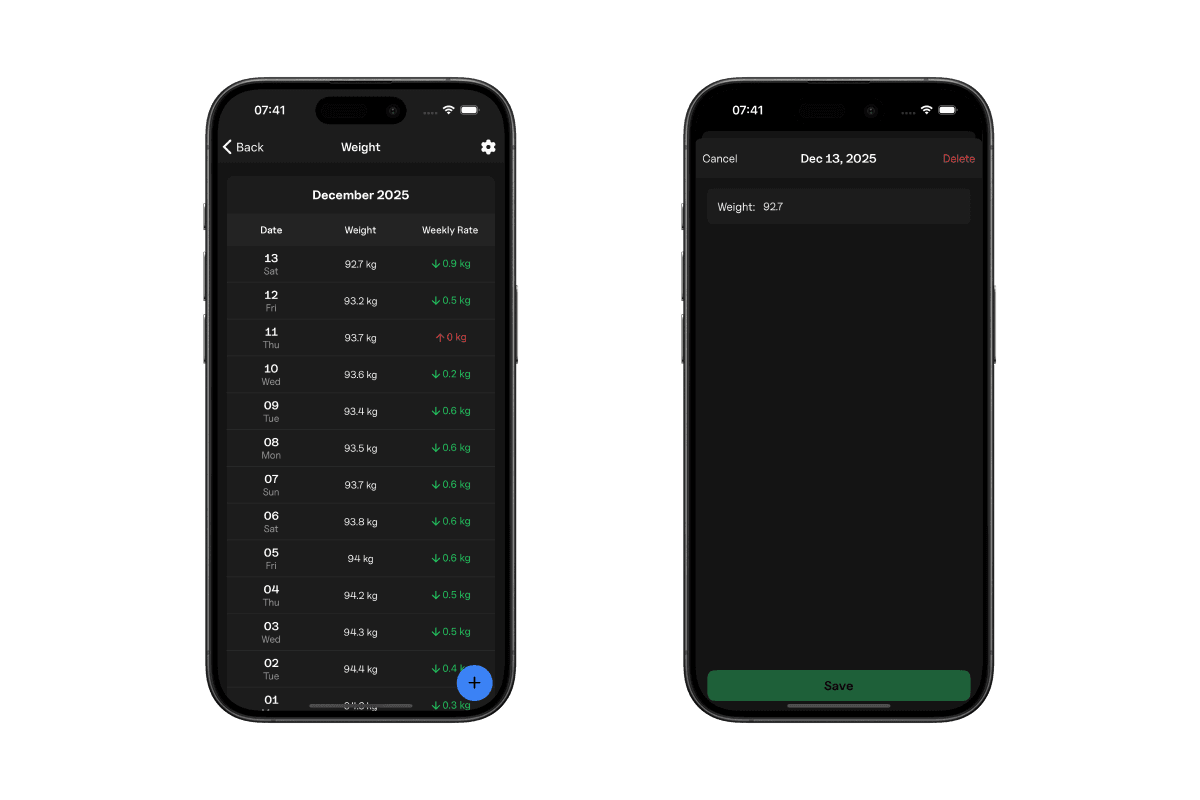
To edit a previous entry, tap the entry to see the details. From here, you can edit the weight.
Explore all the tools Gympal offers.