1. Routines
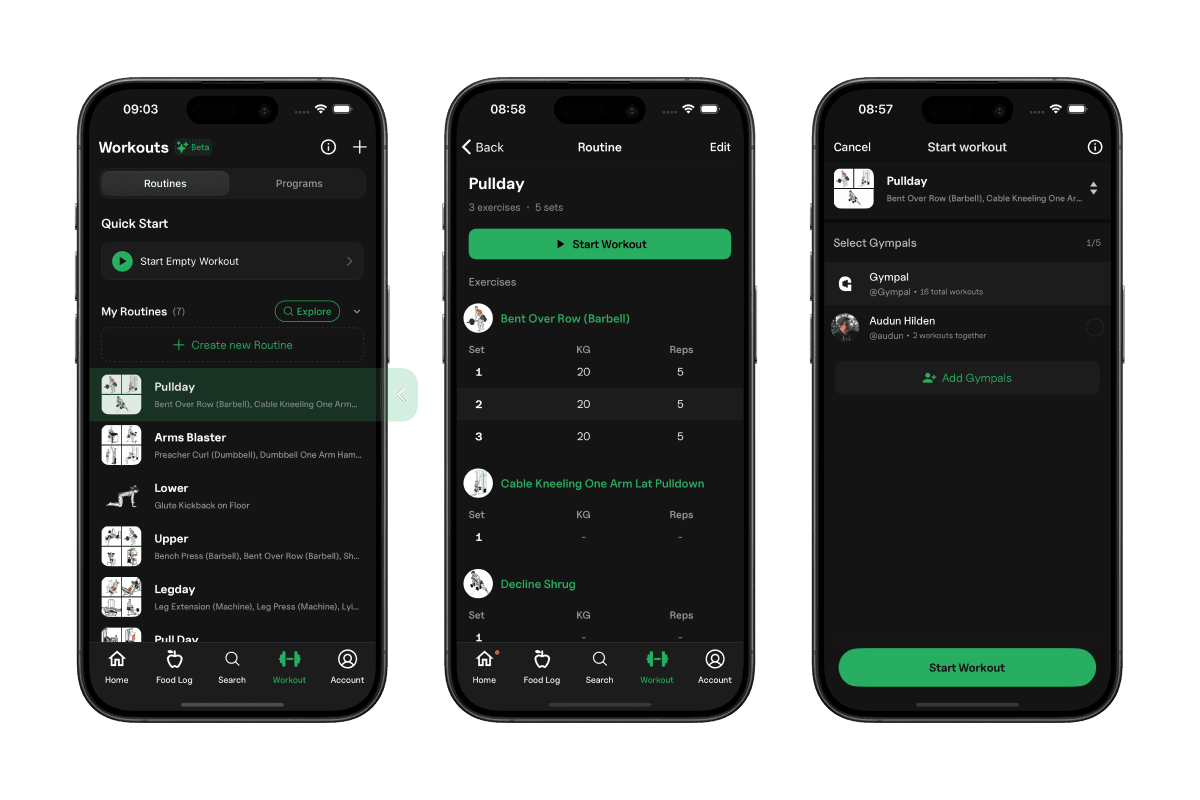
A routine is a reusable workout template that lets you log workouts without rebuilding them from scratch each time.
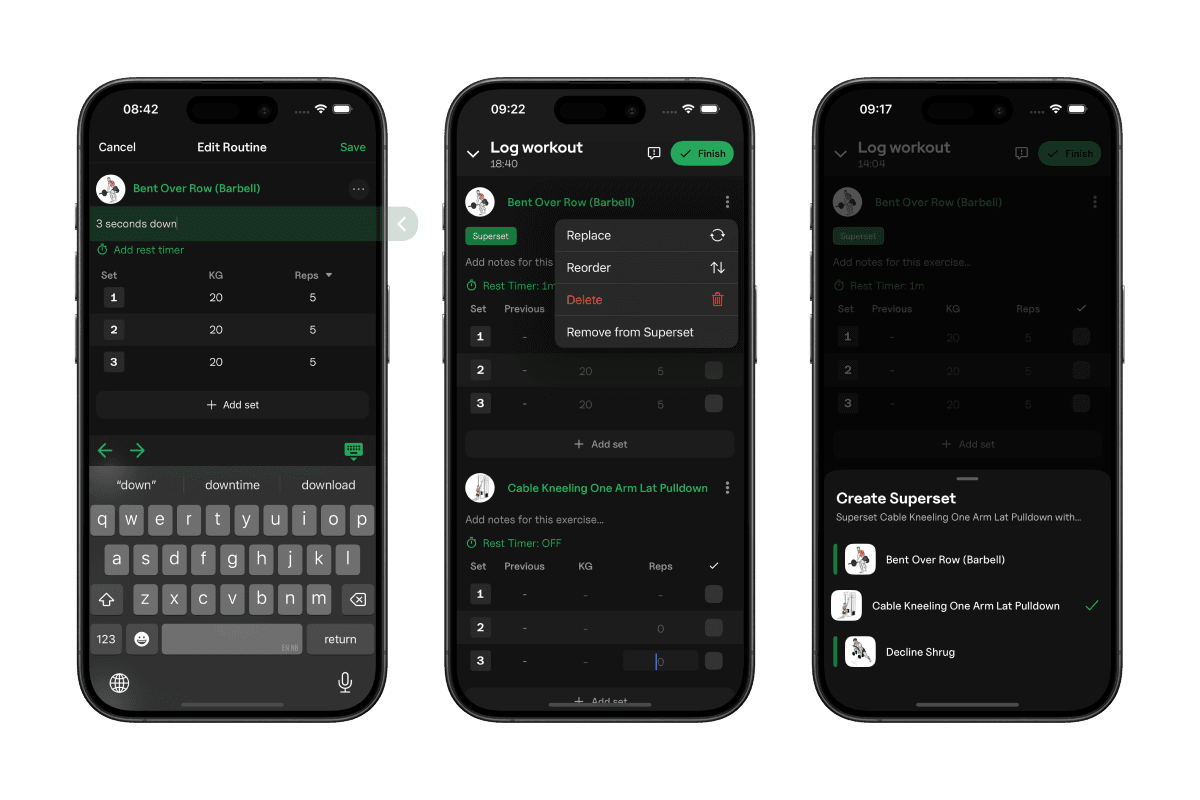
To create a routine, navigate to Workout and tap Create new routine.
Only Name and exercises is required when createing a routine, but you can also add the following:
- Sets pr. exercise
- Rest periods for each exercise
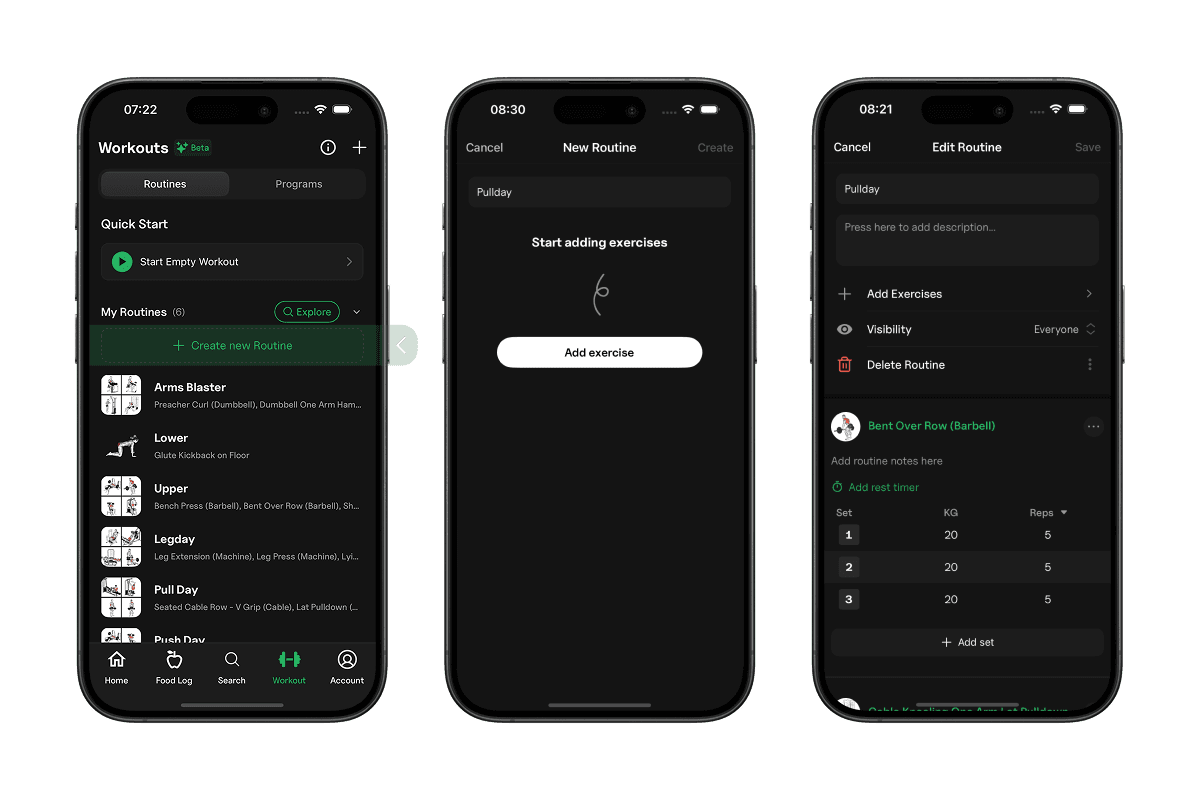
You can add replace, reorder, remove exercises, and pair them in supersets.
2. How to Use a Gympal Routine
To view your routines, navigate to the Workout tab. All your routines are listed under "My Routines". Tap one to view it.
When starting a routine, you get the option to select Gympals (workout partners).
Programs is different to routines, and you can read about it here.
3. Adding Exercises
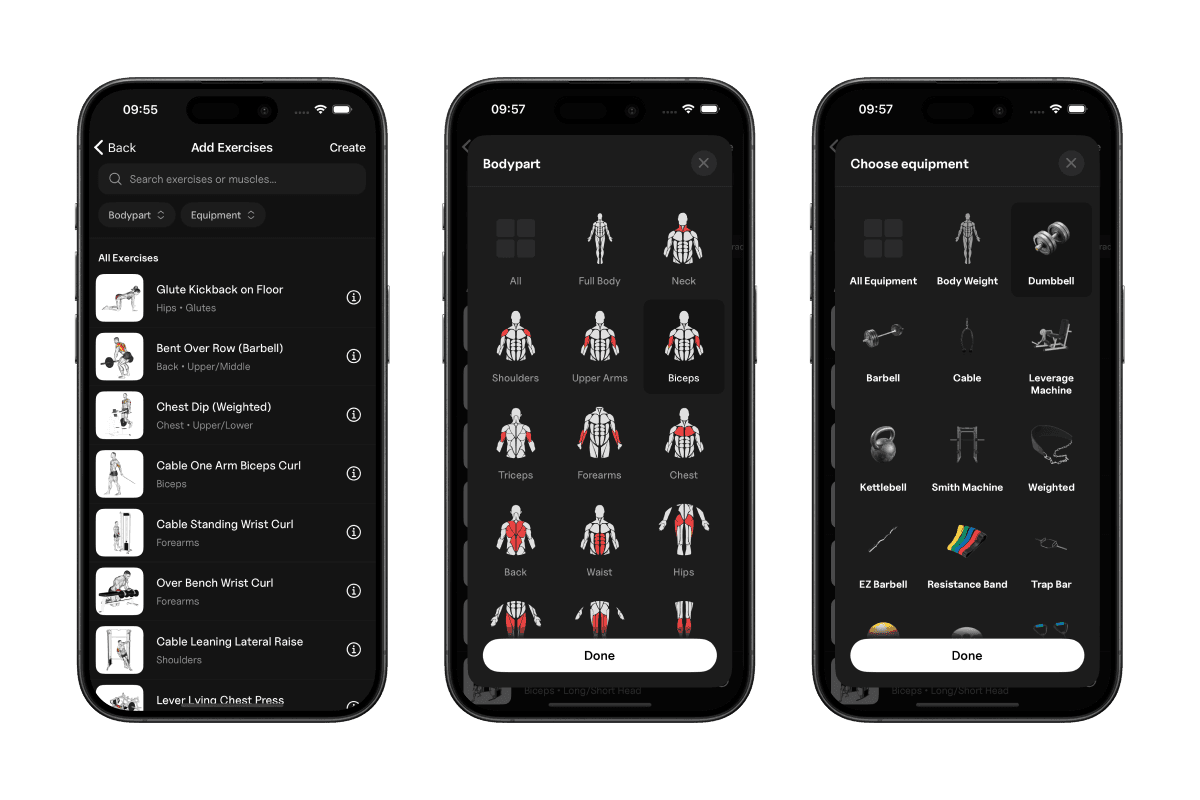
When building a routine, or logging a workout, you can add exercises from the Exercises Library.
To add an exercise, scroll to the bottom of the screen and tap "Add Exercises".
4. Finishing a Workout
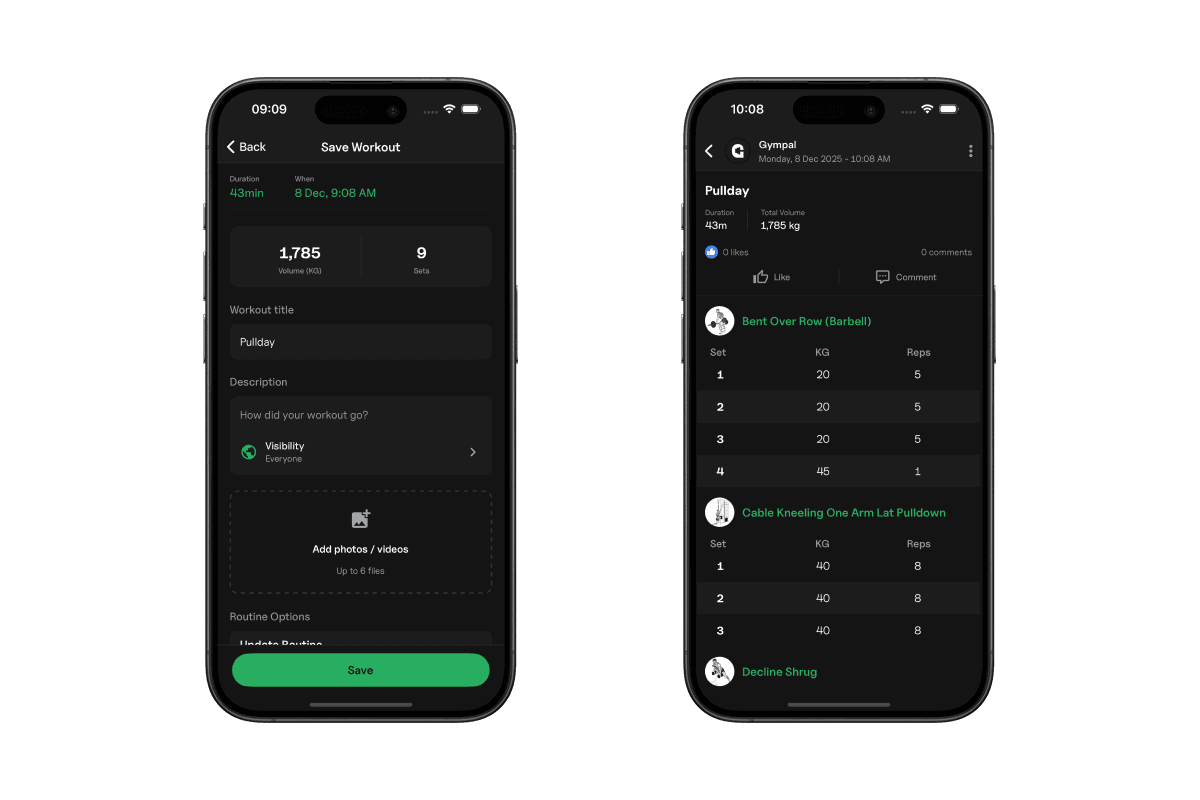
When you've completed your workout, you can tap the "Finish" button top right on the screen.
From this screen, you can fill out:
- Title
- Description
- Images (Max 6)
- Privacy
- Duration (Prefilled)
- Date (Prefilled)
Setting your workout to private, will hide it from the public feed.