
Routine Progress

See how a single routine changes across completed workouts, with session charts and exercise-level strength trends.

Routine Progress

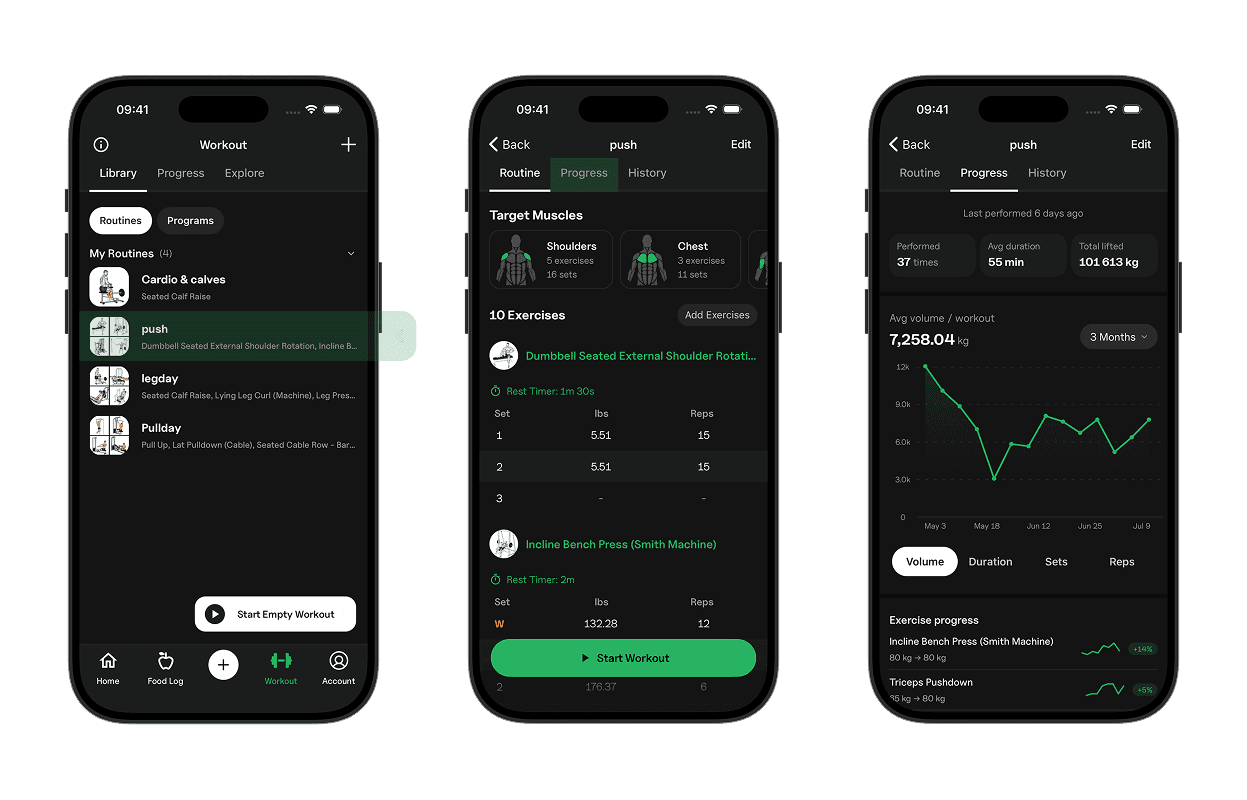
Routine Progress shows how one routine has performed over time. You get a quick read on how often you run it, how each session compares, and which exercises in the routine are moving.

Routine Summary

At the top, you see when the routine was last performed, how many times you have completed it, average duration, and total lifted for the selected range.

Performed and last performed cover your full history with that routine. Avg duration and total lifted follow the range on the chart.
Routine Progress

The chart plots one point for each completed session. That makes it easy to compare individual runs of the same routine, even when you do not train it every week.
Time Ranges

You can view the last 3 Months, 6 Months, 1 Year, or 2 Years. The default is 3 Months.

Changing the range updates the chart, averages, total lifted, and exercise progress from that start date.

Volume, Duration, Sets, and Reps

Switch the chart between Volume, Duration, Sets, and Reps to see how each run of the routine compares on load, length, or workload.

Exercise Progress

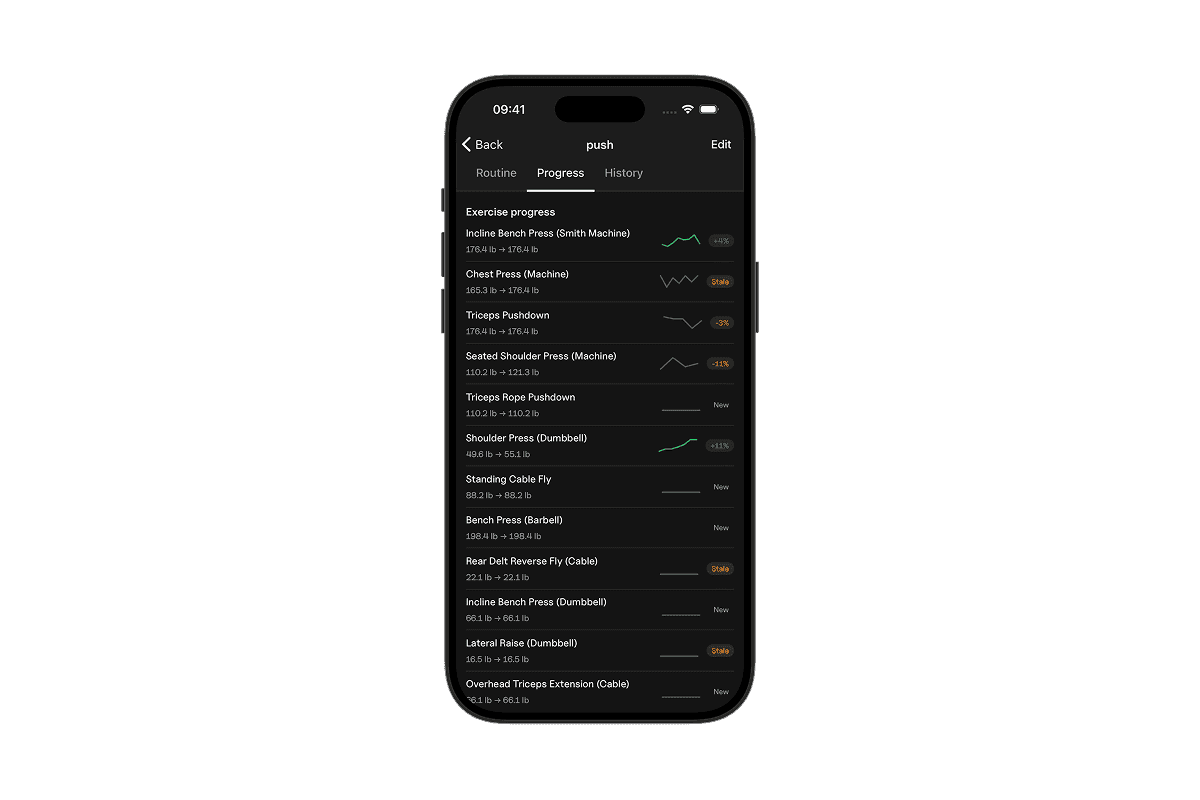
Exercise progress lists the lifts in the routine that have logged sessions in the selected range, ordered by how much volume they contribute.

Each row shows the change from first logged max weight to latest, a sparkline of estimated 1RM, and a trend badge. Trends can show a percent when progressing or declining, Stale when a lift has gone quiet, or New when there is not enough history yet.

If the first weight is unavailable, the row shows the session count instead.

Routine Progress